Professional PDF Editor for Windows — 100% Offline & Private
Edit, merge, split, OCR, sign, clean metadata and convert PDFs directly on your PC. No cloud uploads, no monthly subscriptions, zero data tracking.
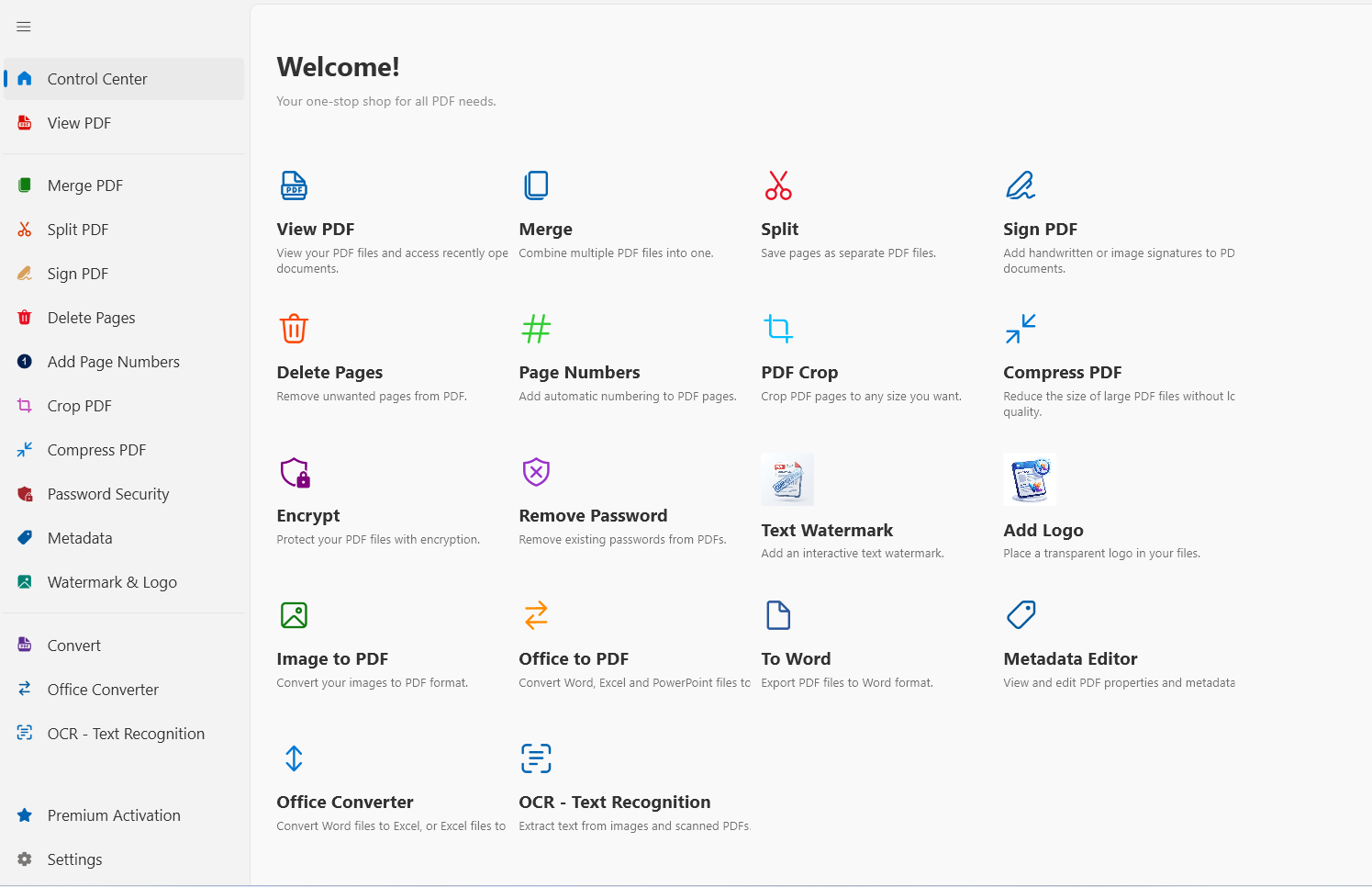
Professional Suite
Every tool you need to master your document workflow — offline and private.
PDF Merge
Combine multiple PDF files into a single professional document. Drag, drop, reorder, and merge in seconds.
PDF Split
Split large PDFs by page range or extract each page as a separate file. Perfect for extracting specific sections.
Image to PDF
Convert photos, scans, and graphics (JPG, PNG) into high-resolution PDF documents instantly.
Office Converter
Convert Word, Excel, and PowerPoint files to PDF and back. Preserves styles, tables, and formatting.
Password Security
Encrypt sensitive documents with military-grade passwords. Remove existing passwords when authorized.
PDF Signing
Draw signatures, upload scanned images, and apply them precisely across single or all pages.
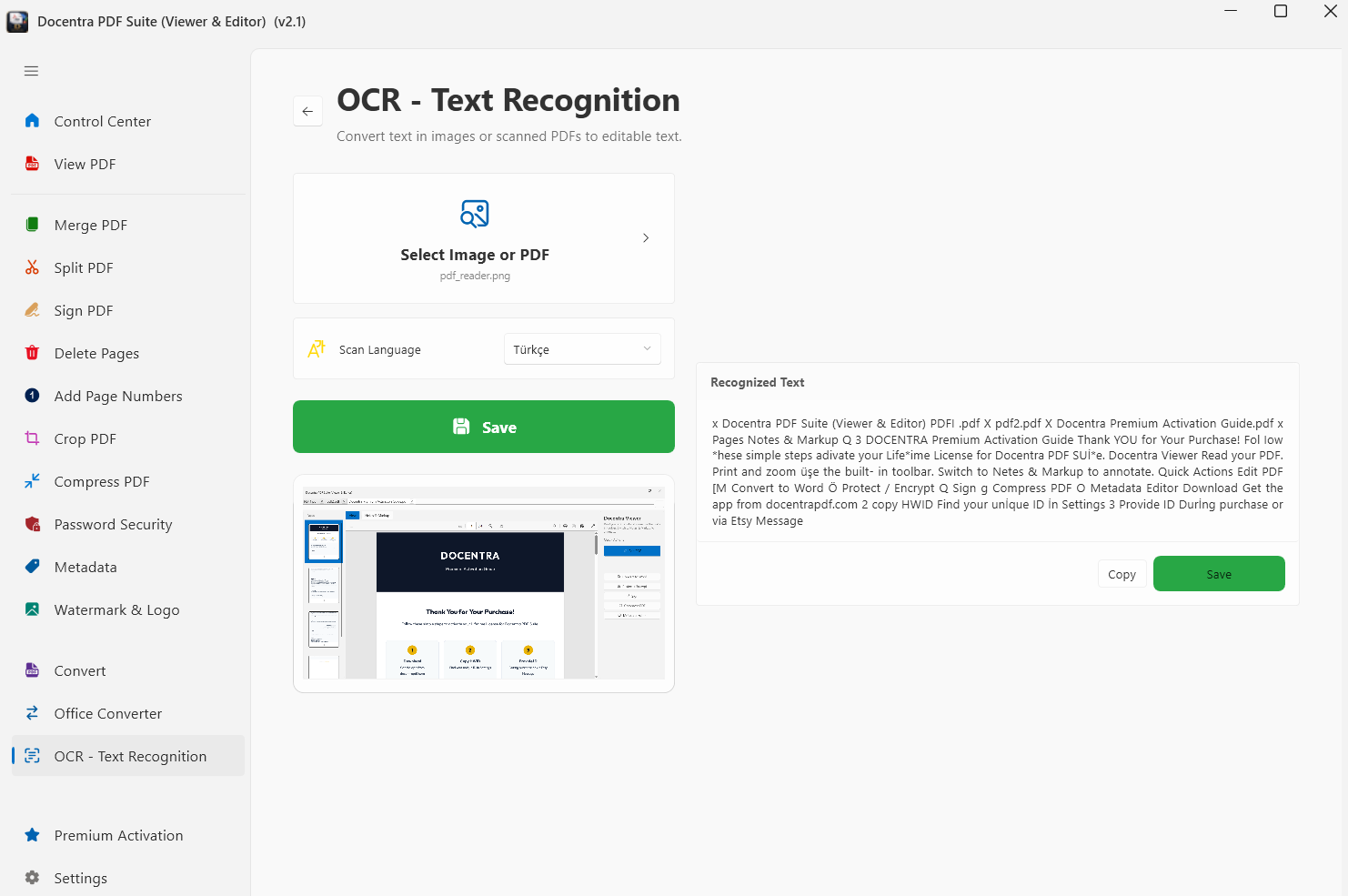
Local OCR
Turn scanned documents into editable, searchable text using high-accuracy local recognition — no internet needed.
PDF Crop
Remove unwanted margins and whitespace to focus on the content that matters. Ideal for mobile reading.
Page Numbering
Add automatic page numbers as headers or footers. Full control over format, position, and style.
Delete Pages
Remove unwanted or mistakenly scanned pages with a single click. Clean up documents instantly.
Metadata Cleaner
Strip hidden author names, computer info, and edit history from Office files before sharing. Prevent data leaks.
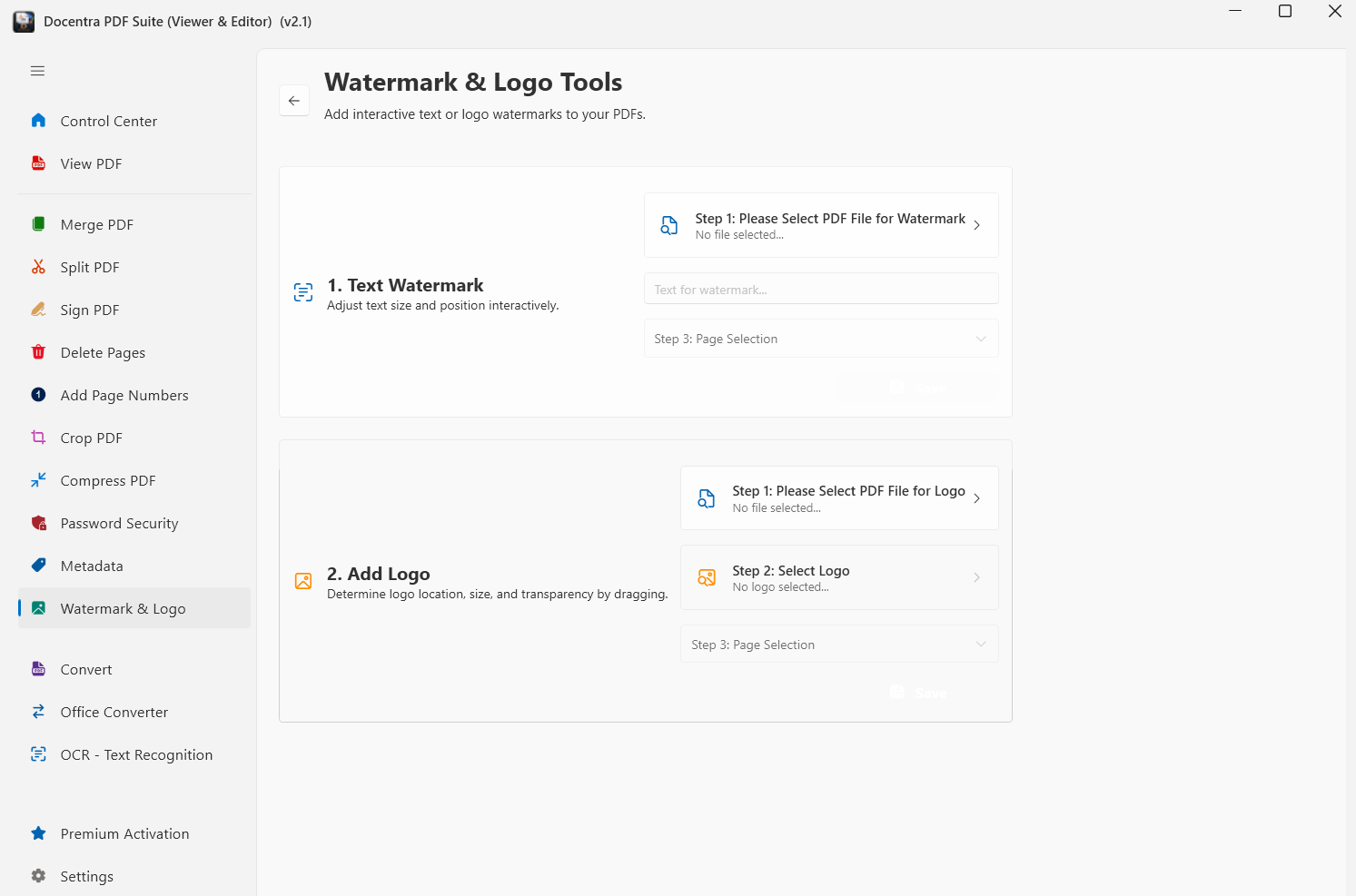
Watermark & Logo
Add company logos or text watermarks like "Confidential" or "Draft" across all pages in batch.
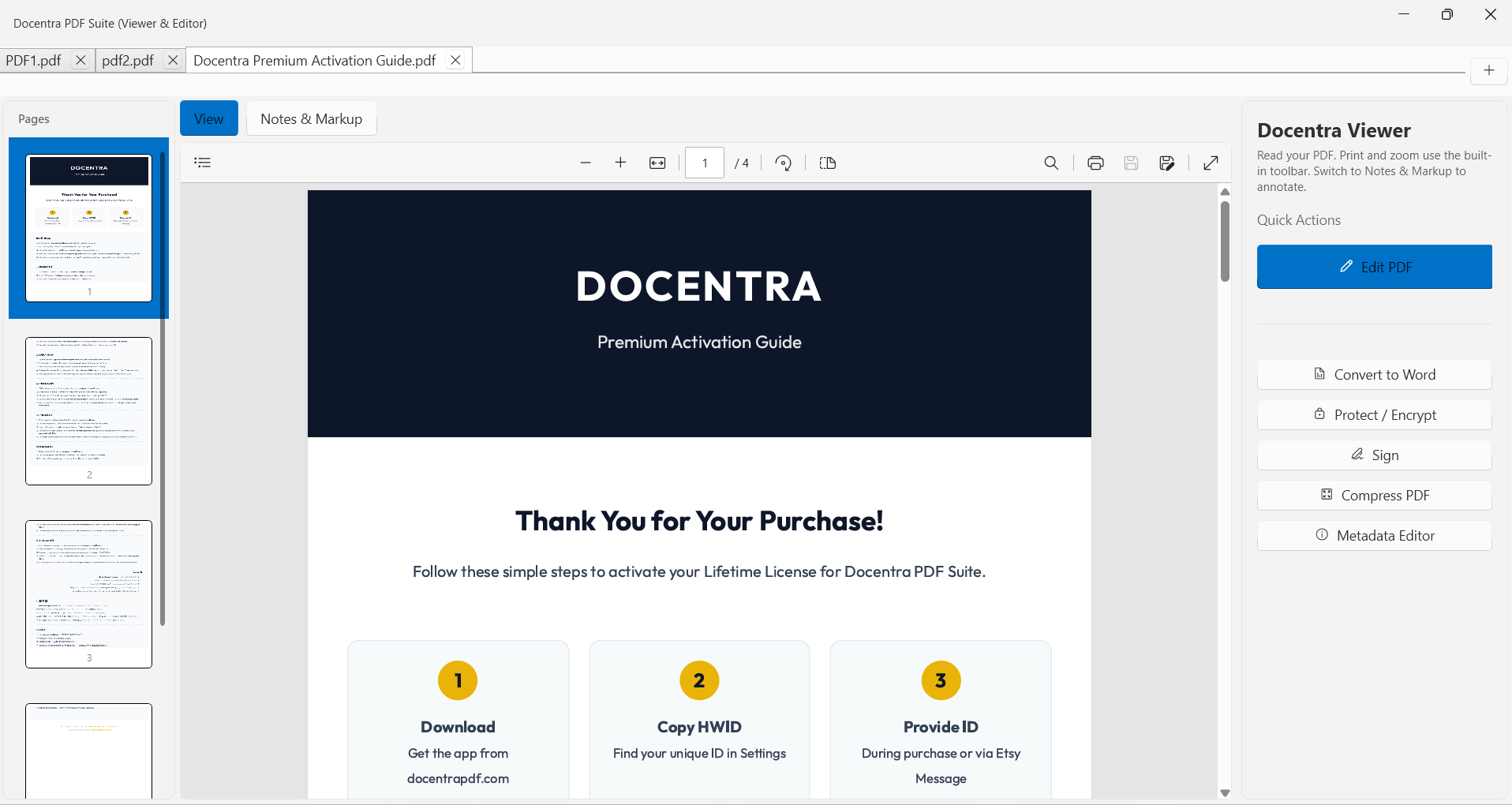
Multi-Tabbed PDF Viewer
Open and manage multiple PDF documents simultaneously in a clean, tabbed interface with lightning-fast local performance.
Metadata Editor
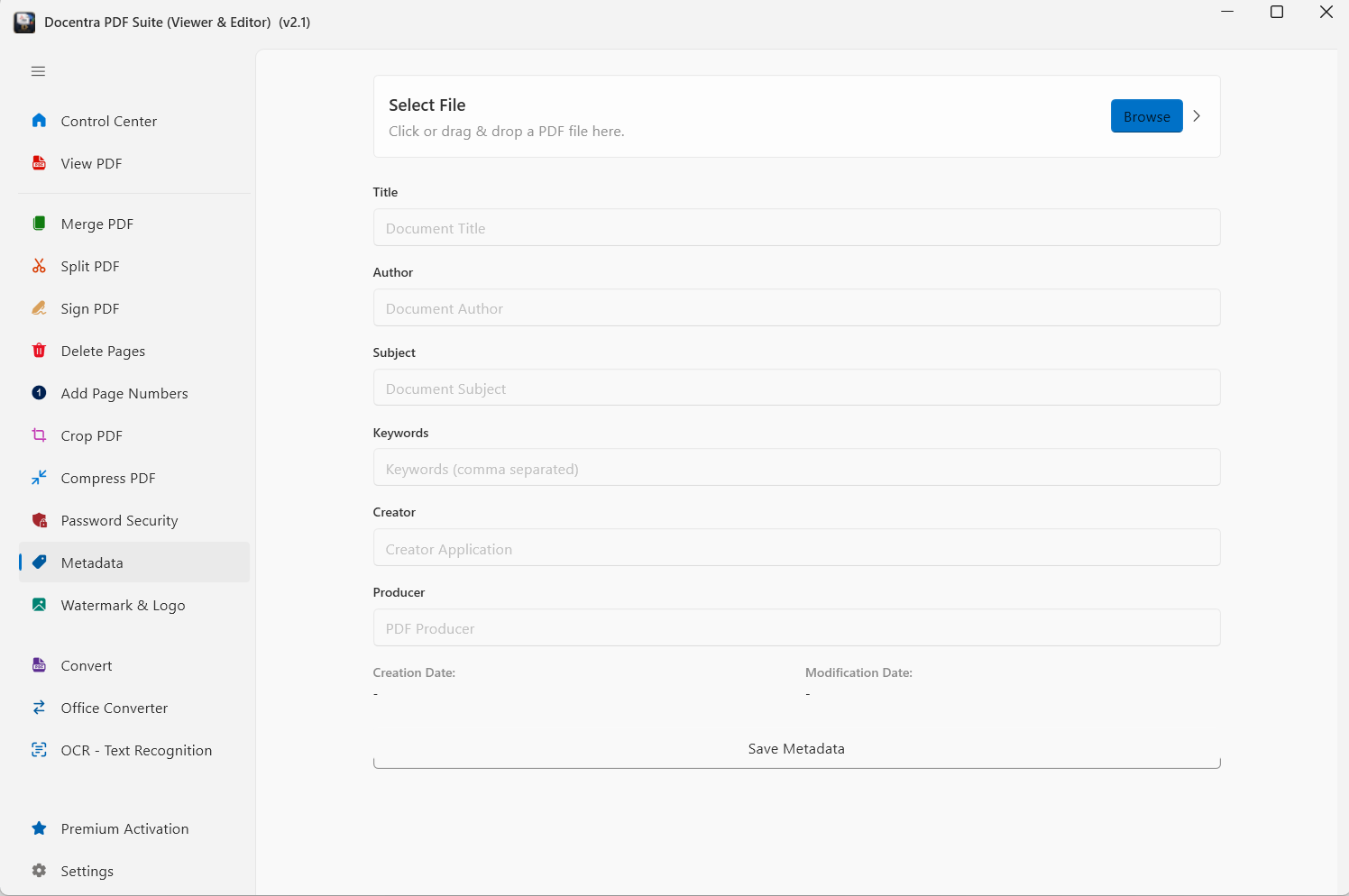
View and edit document properties including Title, Author, Subject, Keywords, Creator, and Producer tags directly on your device.
Up and Running in 3 Steps
No account, no sign-up, no cloud configuration required.
Download
Download the lightweight installer — under 60 MB. No bloatware, no hidden add-ons.
Install & Launch
Run the installer and complete the setup in seconds. No account registration or cloud configuration is required.
Start Working
All 14+ tools are instantly available. Your documents stay on your PC — always private, always fast.
Your Documents, Your Rules.
Unlike cloud-based editors, Docentra processes every single byte on your local hardware. Your sensitive business data, personal IDs, and confidential contracts never touch a remote server. Total privacy isn't a feature — it's our foundation.
See How We Compare
The honest comparison you won't find on their websites.
| Feature | Docentra | Adobe Acrobat | Online Tools |
|---|---|---|---|
| Offline Processing | ✅ | ✅ | ❌ |
| No Subscription | ✅ | ❌ | ❌ |
| Local OCR | ✅ | ✅ | ⚠️ |
| Privacy Guarantee | ✅ | ⚠️ | ❌ |
| Office Conversion | ✅ | ✅ | ⚠️ |
| Metadata Cleaning | ✅ | ❌ | ❌ |
| Price | ₺2250.00 | $239.88/year | $72-$108/year |
Simple, Transparent Pricing
No hidden fees. No recurring charges. Pay once, own it forever.
Lifetime Professional
Perpetual License per PC
- ✅ Lifetime Updates
- ✅ High-Accuracy Local OCR
- ✅ All 14+ Professional Tools
- ✅ Priority Support
- ✅ No Monthly Fees
- ✅ Metadata Cleaner Included
- ✅ 10 Language Support
* ETSY may apply additional taxes based on your region.
Frequently Asked Questions
Everything you need to know about Docentra.
No. Docentra is designed to work 100% offline. All processing — including OCR, conversion, and encryption — happens locally on your PC. No data is ever sent to any server.
One-time payment only. You pay once and own the license forever. All future updates are included at no extra cost. No monthly or annual fees.
Docentra currently supports Windows 10 and Windows 11 (64-bit). macOS and Linux versions are being considered for future releases.
Each license is valid for one PC. If you need to use Docentra on multiple machines, you can purchase additional licenses at a discounted rate.
Docentra uses Windows' built-in OCR engine (Windows.Media.Ocr) to perform text recognition directly on your device. This means your scanned documents never leave your computer, ensuring complete privacy.
Before sharing Office documents, the Metadata Cleaner removes hidden information like author names, computer names, edit history, and timestamps. This prevents accidental data leaks and protects your privacy in corporate environments.
Ready to Take Control of Your Documents?
Download Docentra for free and experience the difference of true local processing. No sign-up required.